Ad · Mostly built (check listing)

The mostly built one.

Yahboom Rider-Pi (CM4 or CM5). For people who want to skip the building. You'll still set up the AI connection yourself. One robot, two versions: pick the Raspberry Pi brain that suits your budget.

Ad · affiliate links: "View on Amazon" buttons are affiliate links. As an Amazon Associate we earn from qualifying purchases, at no extra cost to you. How this works.

What it can do

  • Zip about on two wheels and balance on its jointed legs
  • See with a 5MP camera and show a face on its 2-inch screen
  • Hear you and talk back with its built-in mic and speaker
  • Think with a built-in Raspberry Pi compute module (CM4, or the faster CM5)

What else you'll need

  • Nothing for the brain: the Raspberry Pi is built in. Check the Amazon listing for what's in the box, including the battery and charger
  • Your home Wi-Fi details
  • Somewhere flat to roll about

Honest limits

  • Both versions cost more than the kits
  • Wheels, not paws, so thresholds and thick rugs can stop it
  • Still can't climb stairs

Build time

CM4: arrives assembled according to the maker, but the battery isn't listed as included, so check the Amazon listing. CM5: its Amazon listing says some assembly is required. Connecting it to an AI still takes some setup and technical skill.

Price band 3 of 3: premium, mostly built (both versions)

Pick your version: CM4 or CM5

Amazon sells the Rider-Pi in two versions on the same product page. The robot is the same; only the Raspberry Pi compute module inside it differs, and how much assembly is needed. Check each listing.

Rider-Pi CM4 · lower price

Built around the Raspberry Pi CM4, the older and slower compute module. Same body, camera, screen, mic and speaker, for less money. Arrives assembled according to the maker, but the battery isn't listed as included, so check the Amazon listing.

Price band 3 of 3: premium, the cheaper of the two

View the Rider-Pi CM4 on Amazon (affiliate link, opens in a new tab)Ad · affiliate link · check today's price on Amazon

Rider-Pi CM5 · faster

Built around the Raspberry Pi CM5, the newer and faster compute module, so camera and voice tasks feel snappier. It costs more. Its Amazon listing says some assembly is required.

Price band 3 of 3: premium, the faster of the two

View the Rider-Pi CM5 on Amazon (affiliate link, opens in a new tab)Ad · affiliate link · check today's price on Amazon

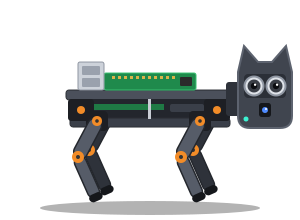
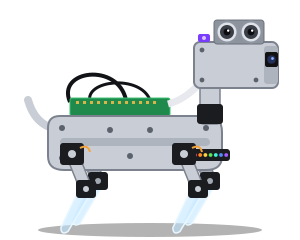
Specs are summarised from the maker's listings for both versions; check the Amazon page for the full, current details and price. Illustration is our own drawing, not a product photo.

🤔 Is it right for you?

Is the Yahboom Rider-Pi right for you?

This is the mostly built one: it balances on two wheels and jointed legs, has a screen for a face, a camera, a mic and a speaker, and its Raspberry Pi brain (CM4 or CM5) is already built in.

Great if you…

  • want to skip the building
  • want the faster of the bots we list (go for the CM5)
  • like the idea of a screen face that can show expressions
  • don't want to buy a separate Raspberry Pi

Maybe not if you…

  • want the cheapest option
  • have lots of thick rugs or raised thresholds
  • love the idea of a robot that walks on four legs

Tips for day one

  • Charge it fully before the first run.
  • Install any software updates the maker recommends before you connect your AI.
  • Clear doorway thresholds and cables out of its usual routes.
  • Use its screen face to show when the camera or mic is on, so everyone at home knows.
✨ Setting it up

One prompt, then your AI guides you step by step.

Copy our setup prompt, put Yahboom Rider-Pi (CM4) or Yahboom Rider-Pi (CM5) as your robot model, and your assistant should guide you through it one step at a time. It takes some technical skill, and results vary by robot and AI. You'll need an AI API key or subscription, which may cost money per use.

❓ Quick questions

Yahboom Rider-Pi: quick questions

Is there anything to build?

It depends on the version. The CM4 arrives assembled according to the maker, but the battery isn't listed as included, so check the Amazon listing. The CM5's Amazon listing says some assembly is required. Once it's built and charged, connect it to your Wi-Fi. You'll still need to set up the bridge code that connects it to your AI assistant. Our setup prompt can guide you, but it takes some technical skill and isn't guaranteed to work first time.

Does it need a separate Raspberry Pi?

No. A Raspberry Pi compute module is built in (CM4 or CM5, depending on the version you pick), so you don't need a separate Raspberry Pi. Check the Amazon listing for what's in the box, including the battery.

CM4 or CM5: which should I get?

It's the same robot either way. The CM5 is Raspberry Pi's newer, faster compute module, so it handles camera and voice tasks more quickly. The CM4 version costs less. If the budget stretches, we'd pick the CM5. Check both on Amazon for today's prices.

Can it go up steps?

No. It rolls on wheels, so it's for one floor at a time. Thick rugs and high thresholds can stop it too.

Why does it cost more?

You're paying for it being mostly built, with a Raspberry Pi built in, a screen face and voice built in. If you enjoy building, the kits are cheaper.


More answers on our FAQ page, or compare all four bots.

👀 Also consider

Or build your own: the kits.